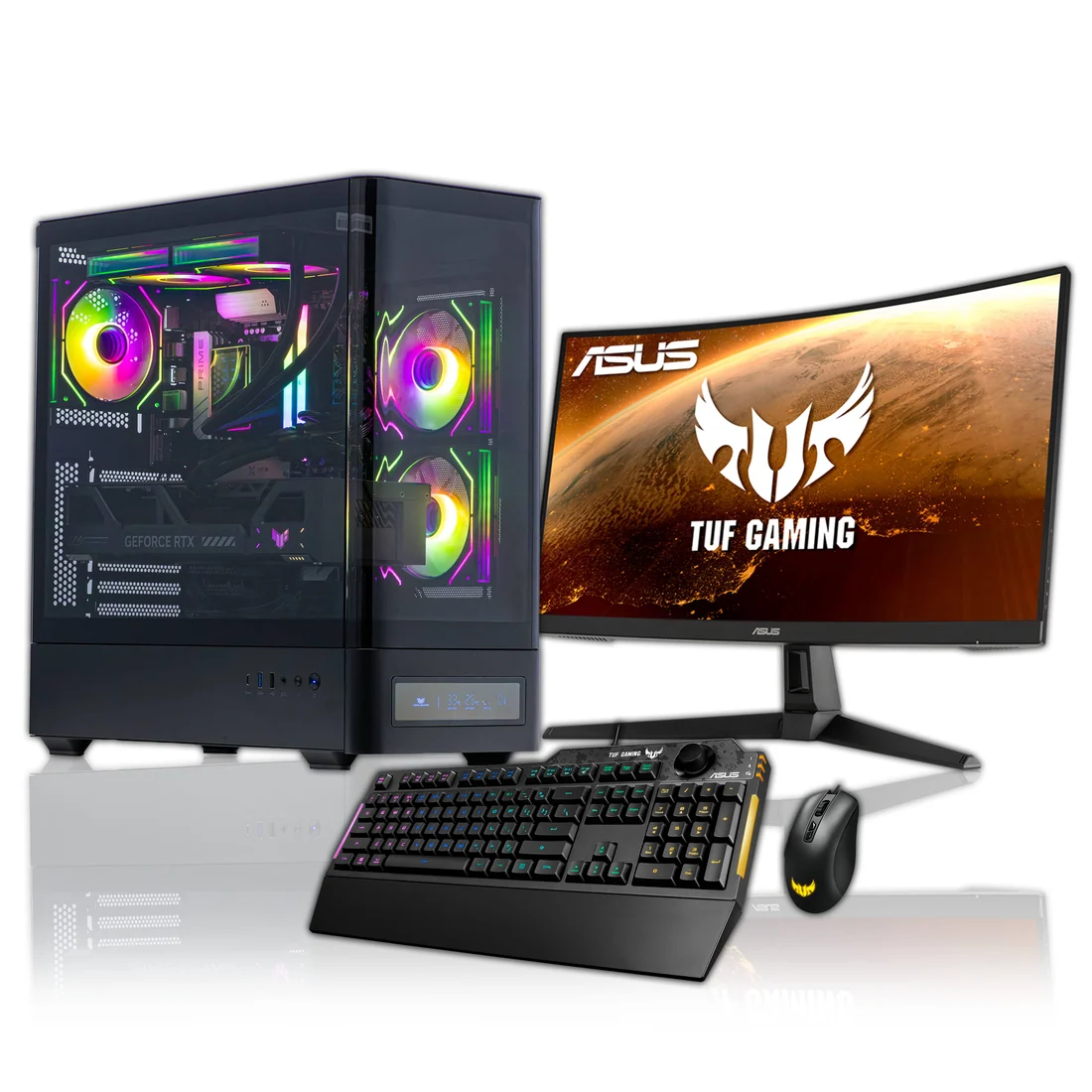
Shopping for a gaming PC can feel like learning a new language. Processor generations, graphics card models, memory speeds and different case designs all compete for your attention. Every product listing claims to offer the right combination of performance and value, making the decision even more confusing.
The easiest way to choose is to focus on your actual gaming requirements rather than comparing specifications without a clear purpose. Your favourite games, monitor resolution, budget and future plans all influence which system will work best.
Whether you are purchasing your first gaming computer or upgrading an existing setup, this guide covers six important steps to help you make an informed decision. You can also explore the gaming PC options available from Veno Scorp when comparing different configurations.
Step 1: Start With the Games You Actually Play
Your gaming library should be the starting point when choosing a PC. Competitive shooters, open-world adventures and simulation games all use computer hardware differently.
Make a list of the games you play regularly, along with any upcoming releases you are interested in. Then check their official minimum and recommended system requirements.
The recommended specifications are generally a better starting point if you want a comfortable gaming experience rather than simply being able to launch a game.
If you are unsure which hardware suits a particular title, Veno Scorp’s PC by game page helps you explore gaming systems based on popular titles. This makes it easier to narrow down suitable options without spending hours researching individual components.
Step 2: Match the PC to Your Monitor
Your monitor determines the resolution and refresh rate you can enjoy. Choosing a PC that matches your display requirements helps you avoid spending money on performance you cannot fully use.
Here are three common gaming resolutions to consider.
- 1080p: A practical option for many gamers, particularly those who prioritise higher frame rates in competitive games. Explore 1080p gaming PCs.
- 1440p: Provides sharper visuals than 1080p and offers a good balance between image quality and performance. Compare 1440p gaming PCs.
- 4K: Delivers detailed visuals but requires considerably more graphics processing power. Browse 4K gaming PCs.
Refresh rate is another important consideration. A 144Hz or 240Hz monitor can display more frames per second than a standard 60Hz screen, provided your gaming PC can produce enough frames to take advantage of it.
Step 3: Learn to Read a Gaming PC Specification Sheet
Understanding the main components makes comparing gaming computers much easier. Every specification has a purpose, and knowing what each part does can help you identify a balanced system.
| Component | What it does | What to check |
| Graphics card (GPU) | Handles game visuals and rendering | Is it suitable for your preferred resolution and frame rate? |
| Processor (CPU) | Handles game calculations and background tasks | Does it complement the graphics card? |
| Memory (RAM) | Stores data used by active applications | 16GB is a common starting point for modern gaming |
| Storage | Holds games, applications and the operating system | Look for an SSD with sufficient capacity |
| Power supply | Provides power to the computer components | Check its quality, wattage and upgrade capacity |
Graphics Card
The graphics card is one of the most important components in a gaming computer. It directly influences visual quality and frame rates, particularly in graphics-intensive titles.
Choose a GPU that matches your monitor and the games you play. You can compare different graphics cards to understand the available options.
Processor
The processor manages game logic, calculations and background processes. A capable CPU helps prevent performance limitations when paired with a suitable graphics card.
You can explore different processors to understand which options suit your requirements.
RAM and Storage
RAM helps your system manage active applications and games. For most modern gaming setups, 16GB is a sensible starting point. If you regularly stream, edit videos or multitask, additional memory may be beneficial.
An SSD is also worth prioritising because it offers faster loading times than a traditional hard drive. Check the available RAM options and storage specifications when comparing systems.
Step 4: Decide Between a Prebuilt and Custom Gaming PC
Once you understand the hardware requirements, the next decision is whether to build your own computer or purchase a prebuilt gaming PC.
Building a computer from individual components gives you greater control over hardware selection. You can choose each part according to your budget and performance expectations. However, the process requires research, compatibility checks, assembly and troubleshooting knowledge.
A prebuilt gaming PC offers a more convenient alternative. The components are selected, assembled and tested before the system reaches you.
This option is particularly useful for first-time buyers, people purchasing gaming computers as gifts and anyone who prefers a ready-to-use setup.
Veno Scorp offers gaming PC options across different budgets, hardware configurations and gaming requirements. Exploring its gaming PC range can help you compare ready-made systems and identify configurations that match your needs.
Before purchasing, check whether the computer supports future upgrades. Additional RAM, storage expansion and graphics card compatibility can make a system more flexible over time.
Step 5: Plan the Whole Gaming Setup, Not Just the PC
A gaming computer is only one part of your complete setup. You should also consider the accessories required for comfortable and enjoyable gaming.
Before placing an order, prepare a list of everything you need.
- Monitor: Your display affects image quality, resolution and refresh rate. Compare available gaming monitors.
- Keyboard and mouse: Choose comfortable peripherals that suit your gaming style. Explore gaming keyboards and mice.
- Headset: A suitable headset improves communication and helps you hear important in-game audio. Browse gaming headsets.
- Desk and seating: A comfortable workspace makes longer gaming sessions more manageable. Consider suitable gaming desks.
Planning your complete setup also helps you manage your budget. A cheaper gaming tower may become more expensive once you include a monitor, headset and other essential accessories.
Step 6: Check the UK-Specific Buying Details
If you are purchasing a gaming PC in the UK, there are several practical details worth checking before completing your order.
Delivery Options
Check dispatch times, delivery charges and estimated arrival dates. If you need your computer quickly, explore the available next-day gaming PCs from Veno Scorp and review the applicable delivery conditions.
Warranty Coverage
A warranty provides important protection if your computer develops a covered fault. Read the terms carefully, including the duration, exclusions and support process.
You can review Veno Scorp’s warranty information to understand the coverage provided with its systems.
Consumer Rights
UK buyers are protected by consumer legislation, including the Consumer Rights Act 2015. These protections cover important aspects of product quality, fitness for purpose and satisfactory condition.
Read the retailer’s returns policy and understand your rights before purchasing.
Payment and Finance
Some buyers prefer spreading the cost instead of paying the full amount upfront. If this applies to you, review the available finance options.
Always check the interest rates, repayment terms and eligibility requirements. Only commit to payments that comfortably fit your budget.
Customer Support
Good customer support is important when purchasing expensive computer hardware. Check how you can contact the seller if you need assistance with installation, troubleshooting, warranty claims or future upgrades.
Specialist Gaming Requirements Worth Considering
Some gaming activities require more specific hardware configurations. If you have additional requirements beyond everyday gaming, consider them before choosing your system.
Competitive Gaming
Competitive players often prioritise high frame rates, responsive performance and minimal input delay. A capable processor, suitable graphics card and high-refresh-rate monitor can make a difference.
Explore esports gaming PCs to compare systems designed around competitive gaming requirements.
Streaming and Content Creation
Streaming gameplay while running other applications can place additional demands on your computer. A stronger processor, sufficient RAM and a capable graphics card can help manage these workloads.
You can compare streaming gaming PCs when looking for a system that supports gaming and broadcasting.
Virtual Reality Gaming
VR gaming has different hardware requirements because it needs to maintain responsive performance across a headset’s displays. Check the recommended specifications for your chosen VR headset and games before purchasing.
Choose Your Gaming PC With Confidence
The best gaming PC is not necessarily the one with the highest specifications or the most expensive components. It is the system that matches your favourite games, monitor, budget and future requirements.
Start by identifying the games you want to play, then choose hardware that supports your preferred resolution and performance level. Compare the processor, graphics card, RAM and storage before looking at additional features.
It is equally important to consider warranty coverage, delivery options, customer support and upgrade possibilities. These details can make a significant difference to your overall buying experience.
Ready to find your next gaming PC? Explore Veno Scorp’s complete range of gaming PCs to compare different configurations, browse systems by gaming requirements and find an option that suits your budget.
Frequently Asked Questions
What should I look for when buying a gaming PC?
Focus on a graphics card suited to your preferred resolution, a balanced processor, at least 16GB of RAM and SSD storage. You should also check the warranty, delivery conditions and available upgrade options.
Is a prebuilt gaming PC better than building my own?
Neither option is better for everyone. A prebuilt system offers convenience and arrives assembled and tested, while building your own provides more control over individual components but requires technical knowledge and compatibility checks.
How much RAM do I need in a gaming PC?
16GB is a common starting point for modern gaming. However, if you regularly stream, edit videos or run several applications simultaneously, additional memory can provide more room for multitasking.
Do I need a new monitor with my gaming PC?
Not necessarily. However, your existing monitor may limit the resolution and refresh rate you can experience. Check whether its specifications match the capabilities of your new computer.
What should I check when buying a gaming PC in the UK?
Review the complete hardware specifications, warranty coverage, delivery times, returns policy and customer support options. Also, understand your consumer rights and check the total cost before placing an order.