Some ideas are difficult to understand when they are presented only through written explanations. A complicated process, an unfamiliar concept, or a series of connected events may make sense once someone sees how the parts relate to one another. Visual explainers help bridge this gap by turning information into a sequence that people can follow. Seedance 2.5 Flash can support this approach by helping creators develop short videos that make abstract or detailed subjects easier to explore. Rather than simply adding movement to a presentation, the aim is to give viewers a clear visual path through an idea. With thoughtful planning, Seedance 2.5 can become part of a process that combines accurate information with accessible storytelling.
Start with the Question Viewers Need Answered
A useful explainer begins with a specific question. Before creating visuals, identify what the audience should understand by the end of the video. Trying to cover an entire subject in a short clip can make the result confusing, even when every individual scene looks appealing.
For example, a video about how rainwater reaches underground storage does not need to explain every aspect of the water cycle. It can focus on the journey from rainfall to collection, showing the key stages in a logical order. This narrow focus gives the video a purpose. It also helps creators decide which details deserve visual attention and which can be explained through a short caption or supporting narration.
Turn Relationships into Visual Sequences
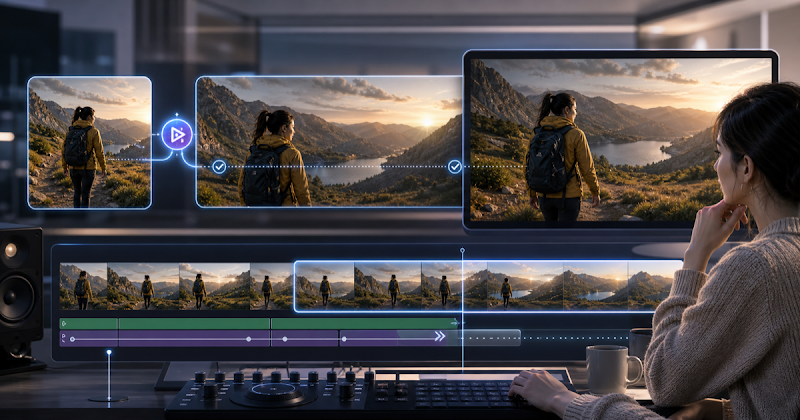
Many difficult subjects involve relationships that are easier to understand when viewers can see them unfold. These may include cause and effect, movement between stages, changes in size, or the connection between separate parts of a system. Seedance 2.5 Flash can help creators explore ways to represent these relationships through motion. A process that might otherwise require several paragraphs could be introduced through a sequence of carefully connected scenes.
Consider an educational explainer about how a city manages household waste. Instead of presenting a collection of unrelated images, the video could follow waste from collection points to sorting facilities and then toward different processing destinations. Each scene would contribute to the same visual journey. The sequence should remain selective. Including every possible detail may overwhelm viewers, while showing only the most important transitions can make the overall process easier to remember.
Choose Visual Comparisons That Clarify Scale
Some concepts are challenging because viewers have no familiar reference point. Scientific measurements, large quantities, tiny structures, and distant objects can be difficult to imagine from numbers alone. Visual comparisons can make these subjects more approachable. A video explaining the size of microscopic particles, for instance, might begin with an everyday object and gradually introduce smaller scales. A presentation about urban growth could compare how a neighborhood changes over several decades.
The comparison must be meaningful rather than decorative. If the visual relationship is inaccurate, it may create a misleading impression. Creators should verify measurements, proportions, and other factual details before using a generated sequence in an educational or professional setting.
Keep Each Scene Responsible for One Main Idea
An effective explainer does not ask viewers to understand too many things at once. Each scene should have a clear purpose, whether it introduces an object, demonstrates a change, or connects two stages of a process. When planning a video with Seedance 2.5, creators can write a simple scene outline before generating anything. One scene might establish the subject, another could demonstrate the central process, and a final scene could show the result or summarize the relationship.
This approach also makes revisions easier. If a scene does not communicate its intended point, it can be reconsidered without rebuilding the entire video. Tools such as Dreamina may also be considered within a broader creative workflow when developing visual ideas and presentation materials.
Make Abstract Subjects Feel More Familiar
Not every subject can be filmed directly. Ideas such as digital privacy, economic activity, communication networks, and environmental impact often involve systems that are invisible or spread across many locations. Creators can use carefully chosen visual representations to make these subjects easier to discuss. A video about online information security might show information moving between devices, with a clear distinction between protected and exposed connections. A lesson about the movement of money could use a simplified journey between a customer, a business, and a service provider.
These representations should be introduced as explanations, not literal recordings of events. A short note or narration can help viewers understand when a visual is symbolic. This distinction is especially important when presenting technical, scientific, or financial subjects.
Review the Explanation, Not Just the Appearance
A visually impressive video is not automatically an effective explainer. The more important question is whether viewers can understand the intended message. Review each scene for clarity, accuracy, and relevance. Check that objects remain recognizable, transitions make sense, and the order of events does not suggest an incorrect relationship. If the video includes labels or narration, make sure they support what viewers can see rather than repeating information without adding value.
It can also help to show an early version to someone unfamiliar with the subject. Ask them to describe what they understood. If their interpretation differs from the intended message, the sequence may need a clearer transition or a simpler visual explanation.
Consider the Needs of Different Audiences
A visual explainer for school students will not necessarily work for industry professionals. The level of detail, pace, terminology, and examples should reflect the audience’s existing knowledge. When creating these presentations with Seedance 2.5, creators can adapt the visual approach to suit different levels of familiarity. For beginners, familiar comparisons and short scenes can make a new subject less intimidating. More experienced viewers may prefer focused demonstrations that highlight specific relationships or practical implications.
Accessibility matters as well. Important information should not depend entirely on color or rapid movement. Clear narration, readable captions, suitable pacing, and strong visual contrast can make the content easier for a wider audience to follow.
Conclusion
Complex information becomes more approachable when viewers can see how its parts connect. Seedance 2.5 Flash offers creators a way to explore visual sequences for explaining processes, comparing ideas, and presenting subjects that are difficult to demonstrate directly. The strongest results come from careful planning rather than visual effects alone. By focusing on one central question, assigning each scene a clear purpose, checking factual accuracy, and considering the audience, creators can develop explainers that are both engaging and informative. Seedance 2.5 can support the creative process, but the quality of the explanation still depends on the clarity and care behind it.
Frequently Asked Questions
What makes a visual explainer different from an ordinary promotional video?
A visual explainer is designed primarily to improve understanding. It organizes information into a sequence that helps viewers follow a process, relationship, or concept rather than focusing mainly on promotion.
Can Seedance 2.5 Flash be used for educational topics?
It can support the development of educational video concepts and visual sequences. Creators should review the finished material carefully and verify factual details before using it as an instructional resource.
How long should a visual explainer be?
There is no single ideal duration. The video should be long enough to communicate its main idea without unnecessary repetition. A focused subject often works better than trying to cover an entire topic in one presentation.
How can creators prevent a visual explanation from becoming confusing?
Keep each scene focused on one main point, use a logical sequence, and avoid unnecessary visual details. Reviewing the video with someone unfamiliar with the topic can reveal unclear sections.
Should every part of a complex subject be shown visually?
No. Some details are better explained through narration, captions, or supporting text. Visuals should clarify the most important relationships rather than attempting to represent every piece of information.